
Simple DB Edit
Goal: change the shop price of a Potion in FINAL FANTASY XIII. First you edit the sheet directly, then you make the same change with SQL.
Prerequisites
Section titled “Prerequisites”- FINAL FANTASY XIII open (First Run and Game Setup). XIII-2 and LR
work the same way through their record packs: open
wdbpack.binin the navigator, and theitemsheet name works there too.
Steps: in the sheet
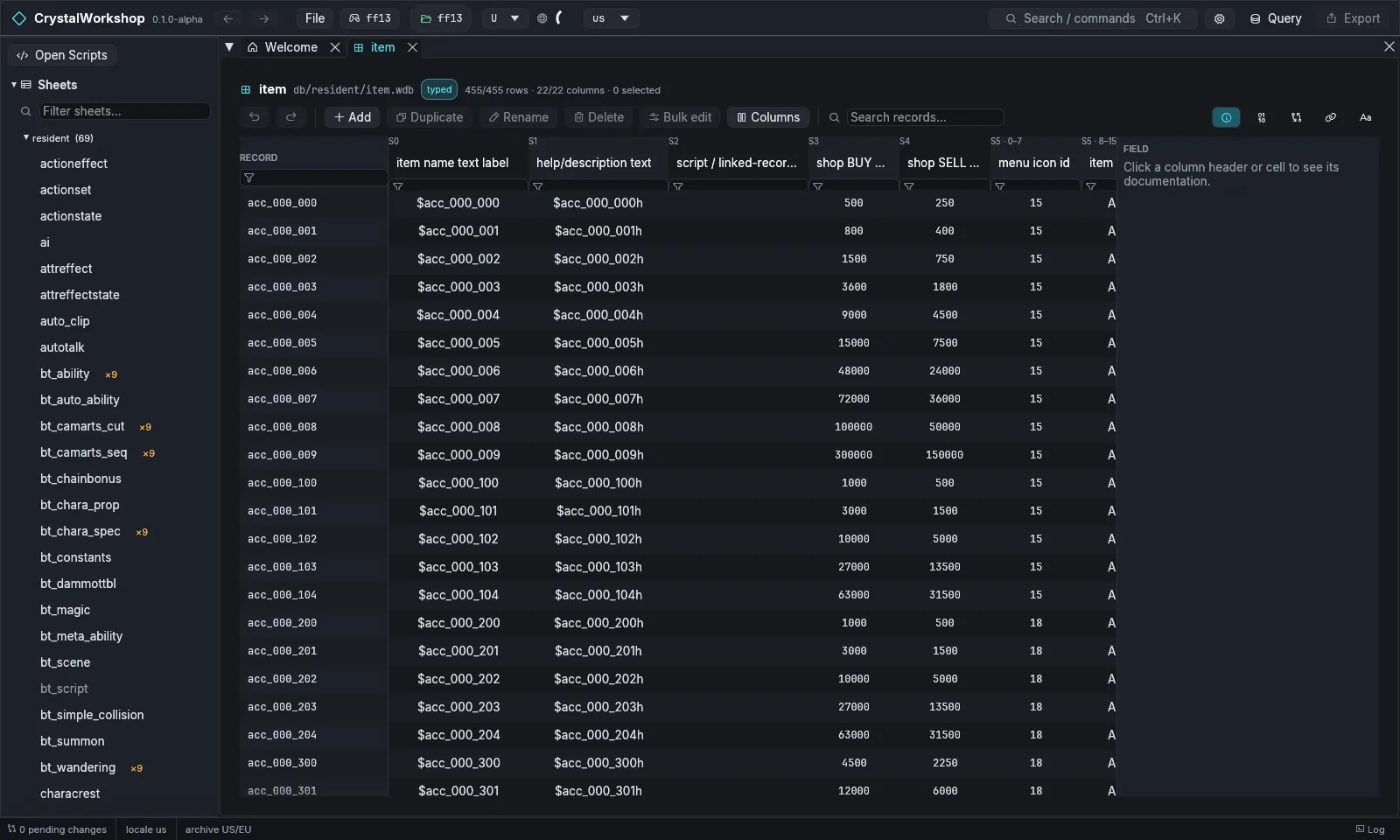
Section titled “Steps: in the sheet”- In the navigator, open Sheets › resident › item (or
Ctrl+K, then typeitem). The sheet header shows its pathdb/resident/item.wdb, the typed badge (its schema is known), and the row and column counts. - Type
it_potionin Search records… to find the Potion row. - Click its shop BUY cell (column
buy_price). Type a new value and press Enter. Click a column header or cell to read its documentation in the FIELD panel on the right. - The toolbar has Undo and Redo for the sheet, plus Add, Duplicate, Rename, Delete, Bulk edit and Columns.
Steps: with SQL
Section titled “Steps: with SQL”-
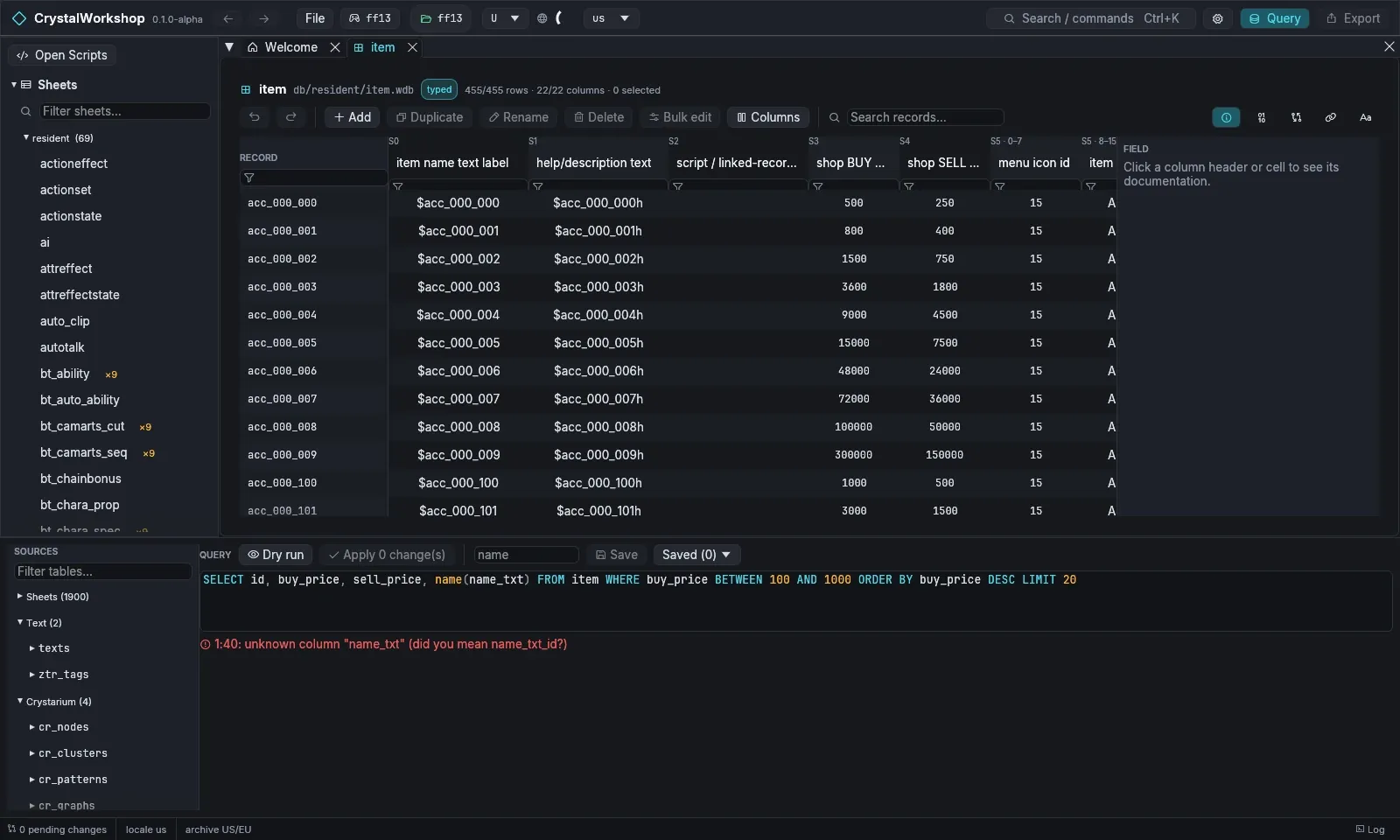
Choose Query in the top bar. The panel lists every table under SOURCES: Sheets, Text, Crystarium and more.
-
Read data:
SELECT id, buy_price, sell_price, name(name_txt)FROM item WHERE buy_price BETWEEN 100 AND 1000ORDER BY buy_price DESC LIMIT 20Choose Dry run to run it.
-
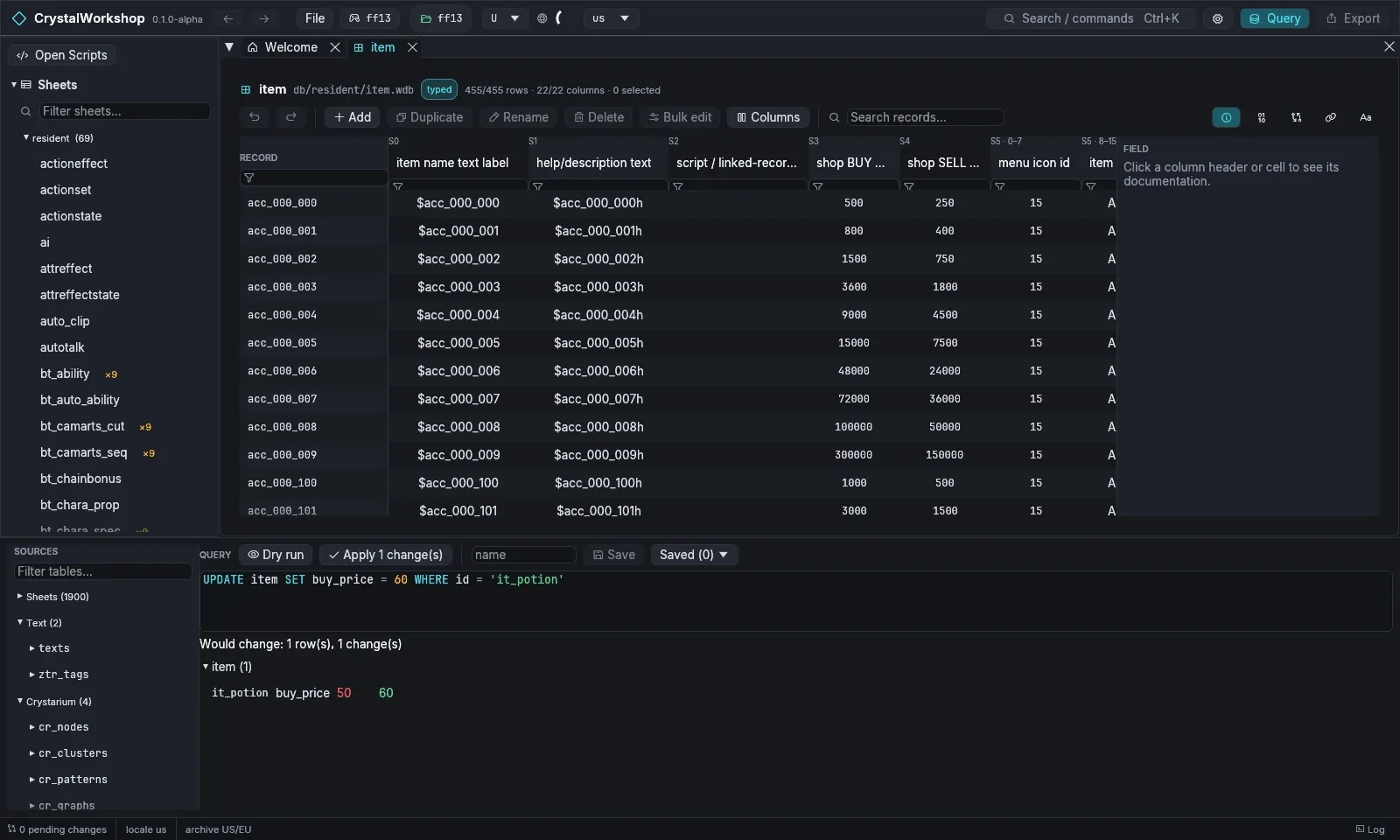
Change data:
UPDATE item SET buy_price = 60 WHERE id = 'it_potion'Dry run shows each change as row · column · old → new and writes nothing.
-
Choose Apply N change(s). The change becomes a pending edit, and the status bar shows
1 pending change. -
Optional: type a name and choose Save to keep the query. Saved (N) lists your saved queries, which are kept in
<game>/ff13_studio/queries.json.
Other useful statements:
INSERT INTO item (id, buy_price) COPY FROM 'it_potion' VALUES ('it_mega', 900)SELECT i.id, t.text FROM item i JOIN texts t ON t.key = i.name_txt AND t.locale = 'us'Result
Section titled “Result”The Changes page lists db/resident/item.wdb. Export (1) is now
active. Continue with Simple Mod Export.
Undo / revert
Section titled “Undo / revert”- Undo in the sheet toolbar. An applied query is one undoable batch
(MCP
undoreverts it too). - On the Changes page, revert a file to the game’s original.
- Nothing reaches the game until you export.
Known limits
Section titled “Known limits”!!strin7string columns cannot be edited yet.- A query script does not see rows that an
INSERTearlier in the same script added. - XIII-2 and LR exports are not verified in game. The export dialog marks them Unverified, and you must allow them per file.
Related
Section titled “Related”ZTR Text Edit · Crystarium Edit · Simple Mod Export · Glossary