
VFX Edit
Goal: open a monster’s effect package, read its tree, change a field, swap a texture or model reference, and play the effect.
Prerequisites
Section titled “Prerequisites”- FINAL FANTASY XIII open (First Run and Game Setup). XIII-2 and LR packages open too, but their fields are read-only. See Known limits.
- DXVK and a GPU driver with Vulkan 1.3 support for playback with the game’s shaders (Installing).
Background
Section titled “Background”An effect package (vfx/.../veffs.<locale>.win32.xfv) holds:
- effects (
veff), each with:- its
modelsandtextures; - units, each with:
- controls (what to draw);
- an emitter (particles);
- its
- leaves (
vlea, where effects attach); - models (
vmdl).
-
Open VFX in the navigator and pick a package. This example uses
vfx/chr/f092/v1/veffs.jp.win32.xfv(Ctrl+Kworks too). -
The layout:
- Left column (data): the Tree, Dependencies, Scenes › Find placements, Author and the Inspector.
- Right column (player): the viewport. Drag the divider to resize the columns.
- Narrow windows: below 700 px the columns stack, with the viewport on top.
-
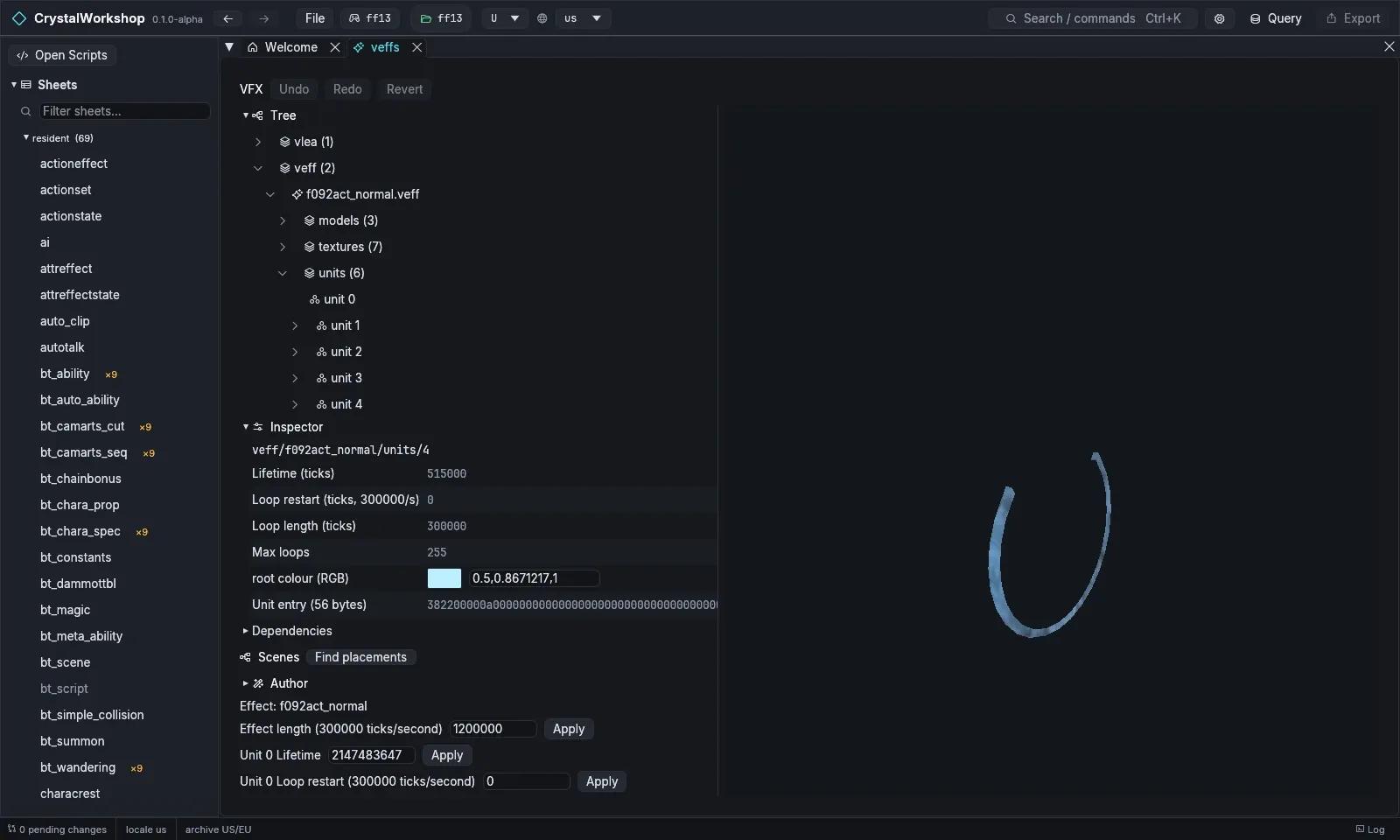
Select a node in the tree, for example veff › f092act_normal › units › unit 4. The Inspector shows one widget per typed field:
- numbers, such as Lifetime (ticks), Loop restart, Loop length and Max loops;
- colours, with a swatch, such as root colour (RGB);
- raw entries, shown read-only as hex.
-
Change a field: edit Lifetime or root colour, then choose Apply. Fields that cannot be written safely stay read-only and say why.
-
Swap a reference: select a control node (
units › unit N › controls). Its model, texture.k or item.n.model field is a list of safe targets: other names of the same type in this effect’s own reference table. Pick one and choose Apply. Unsafe swaps, such as a texture from another package or a different shape, are read-only and say why.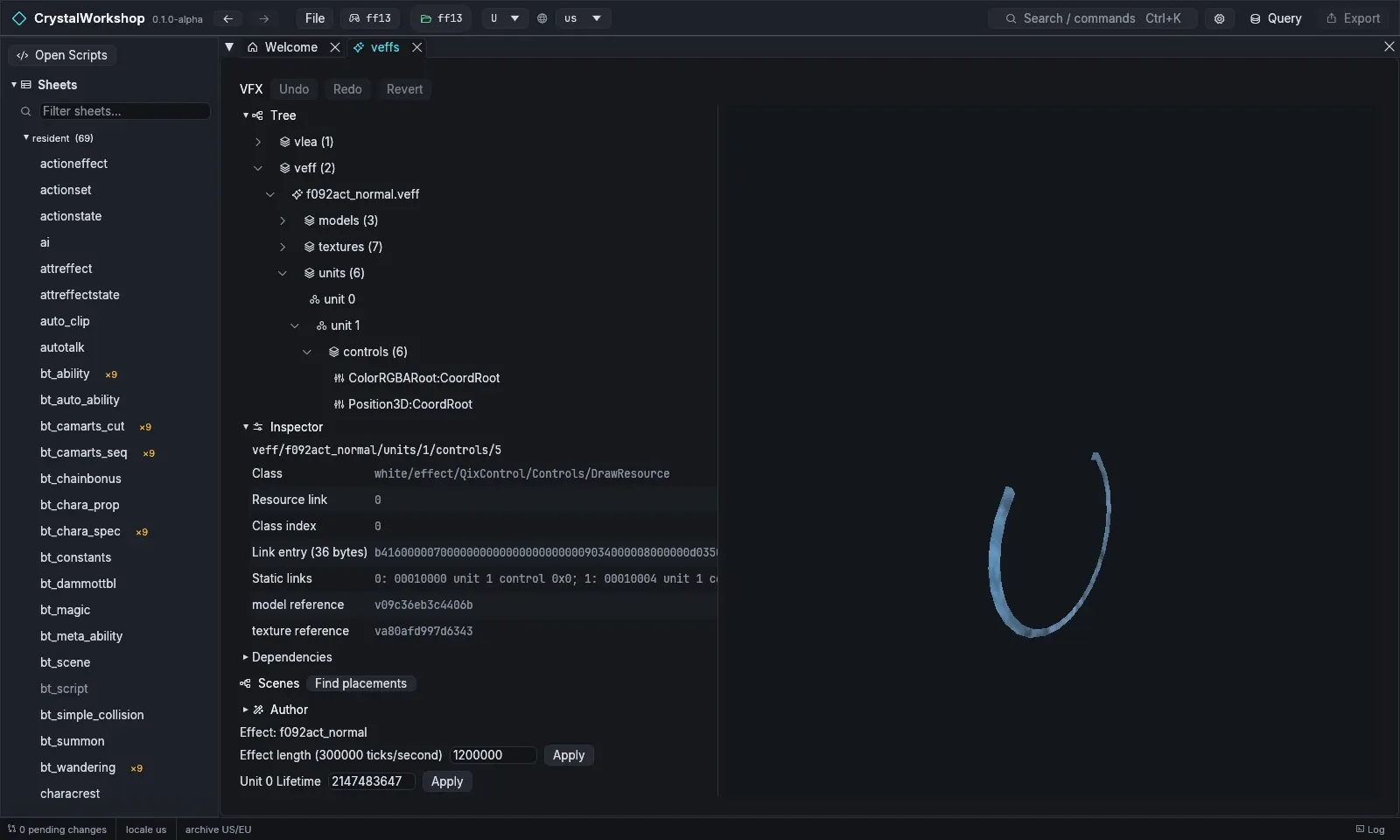
-
Play: the player has these controls:
- Play effect / Pause effect, Restart effect and Loop effect;
- the Playback time slider;
- Random seed and Ground height;
- an anchor panel.
A Partial: N of M parts banner lists the parts the player cannot draw yet. When an effect’s materials are not supported, the viewport shows a geometry preview (opaque, no blending) instead, as in the screenshots on this page.
-
Author › Check XIII loading checks that the package will load in XIII.
Result
Section titled “Result”The package shows as changed and is listed on the Changes page. Export it with Simple Mod Export.
Undo / revert
Section titled “Undo / revert”Undo, Redo and Revert are in the VFX toolbar. Revert returns the package to the game’s original. Setting a field back to its original value also unstages it.
Known limits (Experimental)
Section titled “Known limits (Experimental)”- Per-game support:
- XIII: fields are editable.
- XIII-2 and LR: fields are read-only and marked “not proven for game”. Reference swaps work in all three games.
- LR: ribbon, light and tint parts are refused in playback.
- Playback is not yet a full match for the game’s renderer:
- ground ray casts use a flat plane;
- some parts play only partly (see the banner).
- Not yet supported:
- editing animated curves;
- inserting a new unit.