
Scripts, Actions and Sound
Goal: read and change a CLB script as Java, look at an action schedule (ACB) and its links, and browse the game’s sound banks and music.
Prerequisites
Section titled “Prerequisites”- A game open (First Run and Game Setup).
- Scripts: a JDK 17 or newer (
javaandjavac, not just a Java runtime; see Installing). Decompile, compile and export of script edits need it. The Vineflower 1.12.0 decompiler is included. If CrystalWorkshop cannot find Java, it says so and names the fix: install a JDK, or set thejavaandjavacpaths under Settings › Scripts toolchain (Detect toolchain checks again).
Scripts (CLB): view and compile — XIII
Section titled “Scripts (CLB): view and compile — XIII”- Choose Open Scripts at the top of the navigator. The Scripts page
lists every CLB class (
SELECT id FROM scriptslists them in the Query panel too). Refresh scripts reloads the list, and Modified only filters it. - Open a class, for example
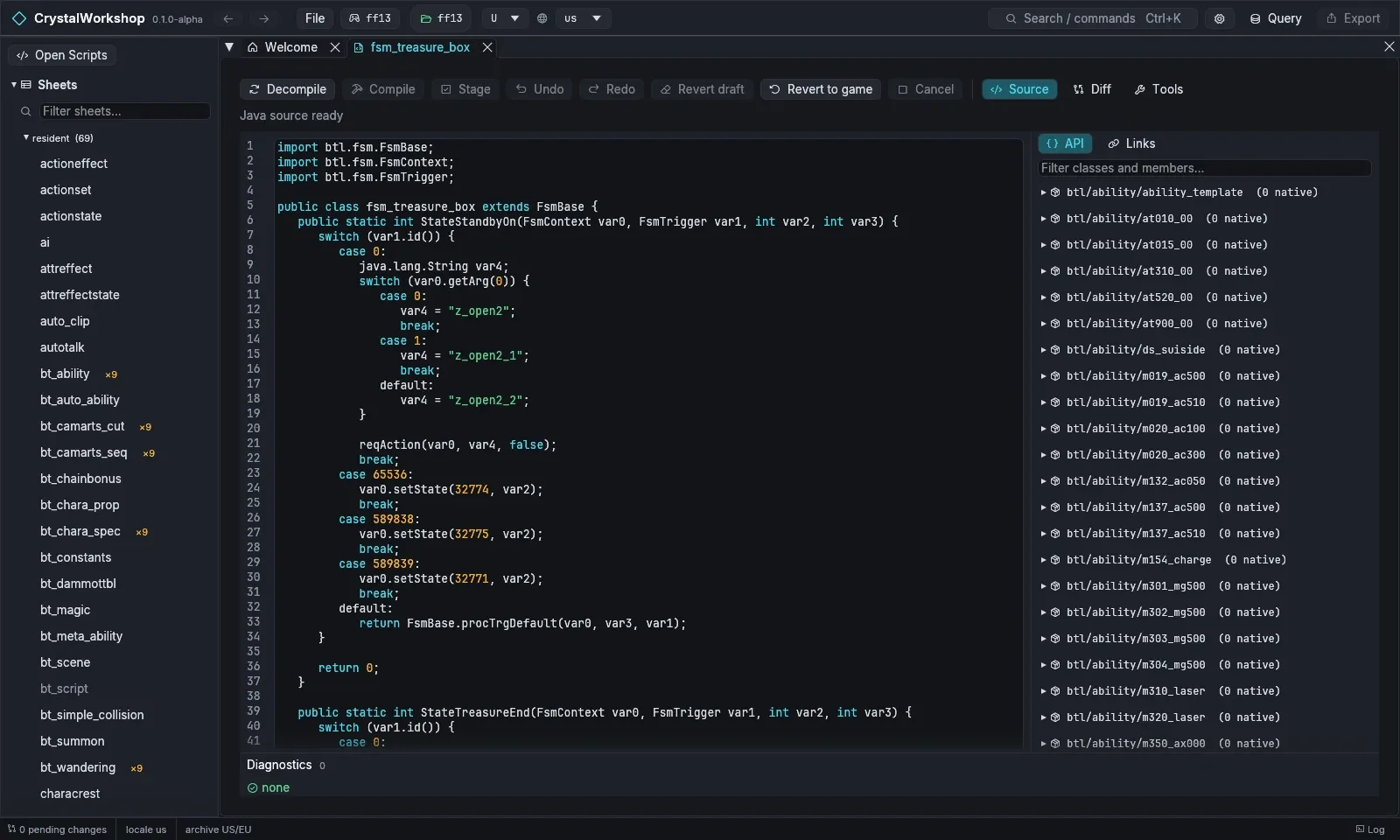
btscene/clb/btsc_clb.bin#3(fsm_treasure_box). The Java tab decompiles it. The status reads Java source ready. - The right panel shows the API of every game class and method, and the Links of this class (callers and references).
- Edit the Java, then choose Compile. It runs javac, then verifies the
class and merges it into the CLB. Diagnostics lists problems, such as
Java features the game’s VM does not support (string
switch, lambdas, boxing, enums, for-each). - Stage keeps the compiled class as a pending change.
- Undo / Redo step through your edits.
- Revert draft drops the draft; Revert to game restores the original.
- Source, Diff, Side by side and Tools switch views.
Exported scripts travel in shards as Java patches. PulseDepot recompiles them against the player’s game, so players of a mod that changes scripts need a JDK 17 or newer too: without one, PulseDepot’s review stops and asks them to install it. With a JDK, PulseDepot merges script changes from several mods class by class; when two mods change the same lines, the later mod wins and the review reports the conflict.
Limits (Experimental):
- Script archives (SCR) are XIII only.
- XIII-2 and LR scripts can be browsed. Compiling them has not been tested.
Actions (ACB / MCB schedules) and events
Section titled “Actions (ACB / MCB schedules) and events”-
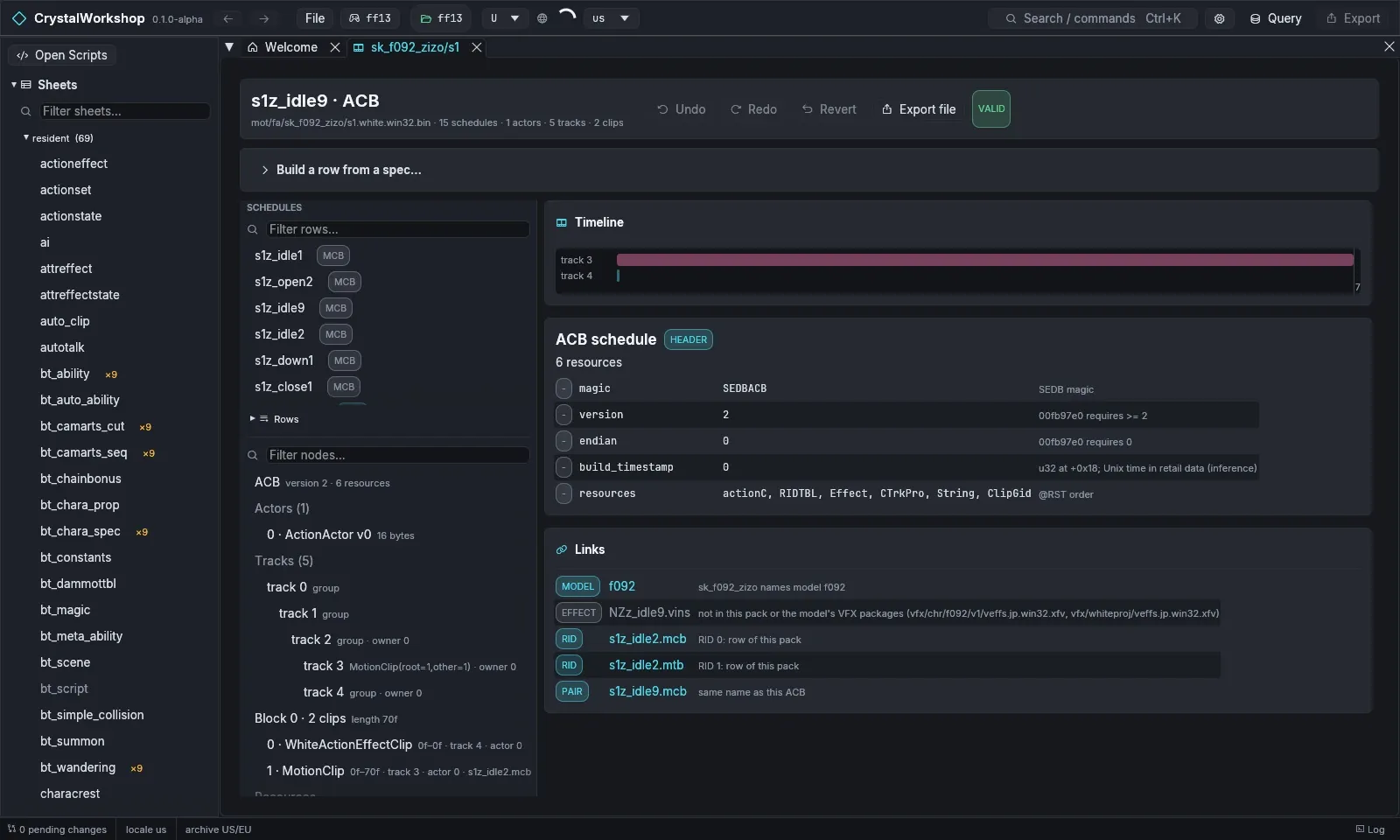
Open Actions in the navigator and pick a motion pack. For example,
sk_f092_zizo/s1with the schedules1z_idle9.acb. -
The page shows:
- SCHEDULES: the ACB/MCB rows, filterable;
- the Timeline of tracks and clips;
- the node tree: actors, tracks, blocks and clips;
- the ACB schedule fields;
- Links to the model, the effects, and the RID rows with the paired MCB.
VALID means the file passes its checks.
-
Edit:
- Build a row from a spec… creates a new schedule row. Choose Preview, then Build.
- Add clip, Clone and Remove edit rows and clips.
- Undo, Redo and Revert are in the toolbar.
- Export file writes the edited file on its own.
Events (cutscenes) are under Events in the navigator:
- Open the player plays an event, with subtitles.
- From/To playhead limits playback to a range.
- Export MP4 writes a video.
The player is a preview. It does not reproduce:
- lights, shadows, depth of field and glare;
- fog and colour correction;
- VFX, physics and movies.
Bink 2 movies cannot be previewed.
-
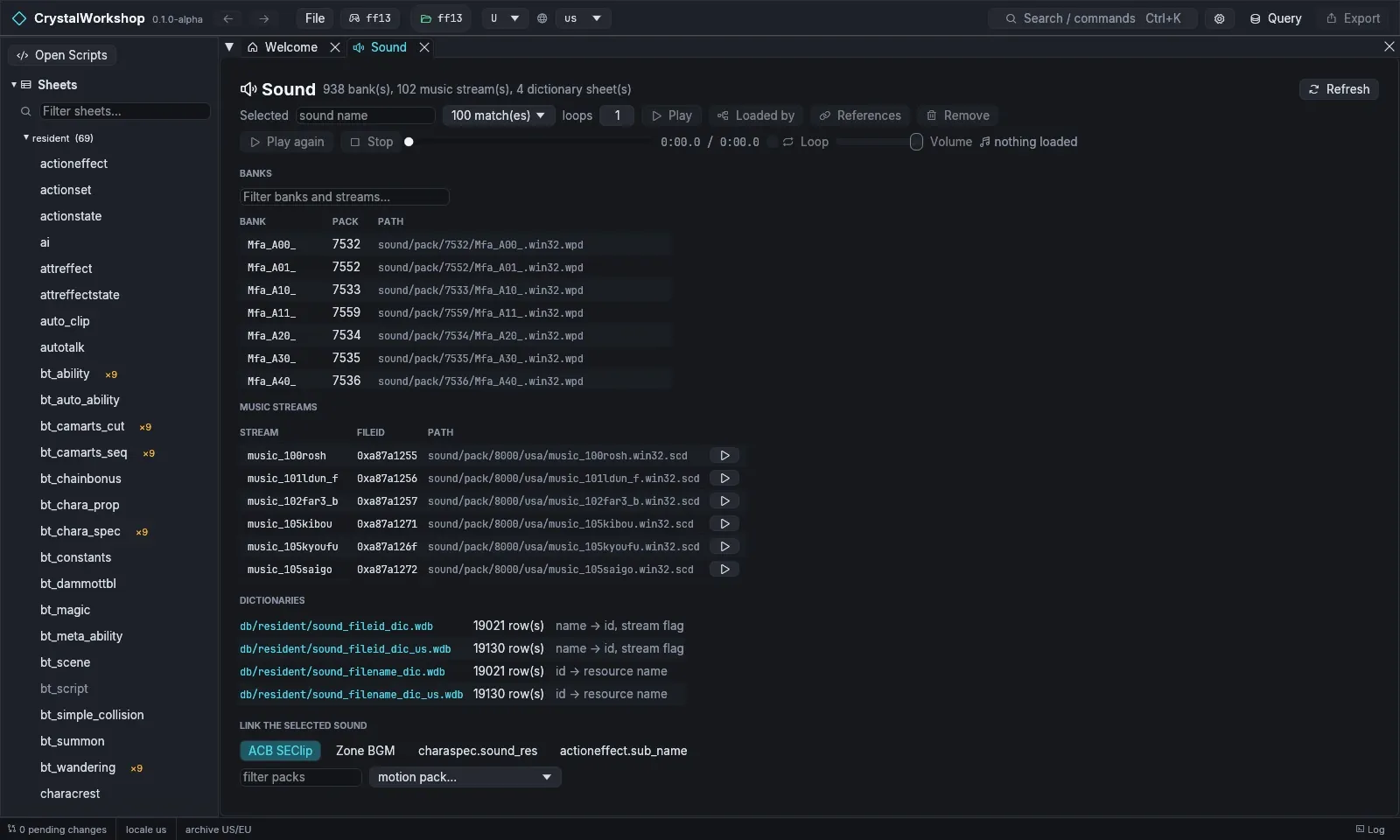
Open Sound in the navigator. The page lists:
- banks (
sound/pack/*.wpd); - music streams (
.scd); - the sound dictionaries (
sound_fileid_dic,sound_filename_dic).
- banks (
-
Pick a sound name. Then:
- Play plays it, with loops setting the repeat count;
- Loaded by and References show where it is used;
- Remove deletes it.
-
Link the selected sound attaches a sound to one of:
- an ACB SE clip;
- zone BGM;
charaspec.sound_res;actioneffect.sub_name.
Importing new audio is under Banks, music & import.
Limit: sound is documented for XIII. It has no tests on XIII-2 or LR yet.
Undo / revert
Section titled “Undo / revert”Each page has Undo, Redo and Revert, and the Changes page reverts a whole file.