
8. Uninstall
-
Remove every mod. Choose Uninstall all…. PulseDepot reviews removing every installed mod; then choose Apply changes. This removes
active.crximgand keeps your list, so you can apply it again later.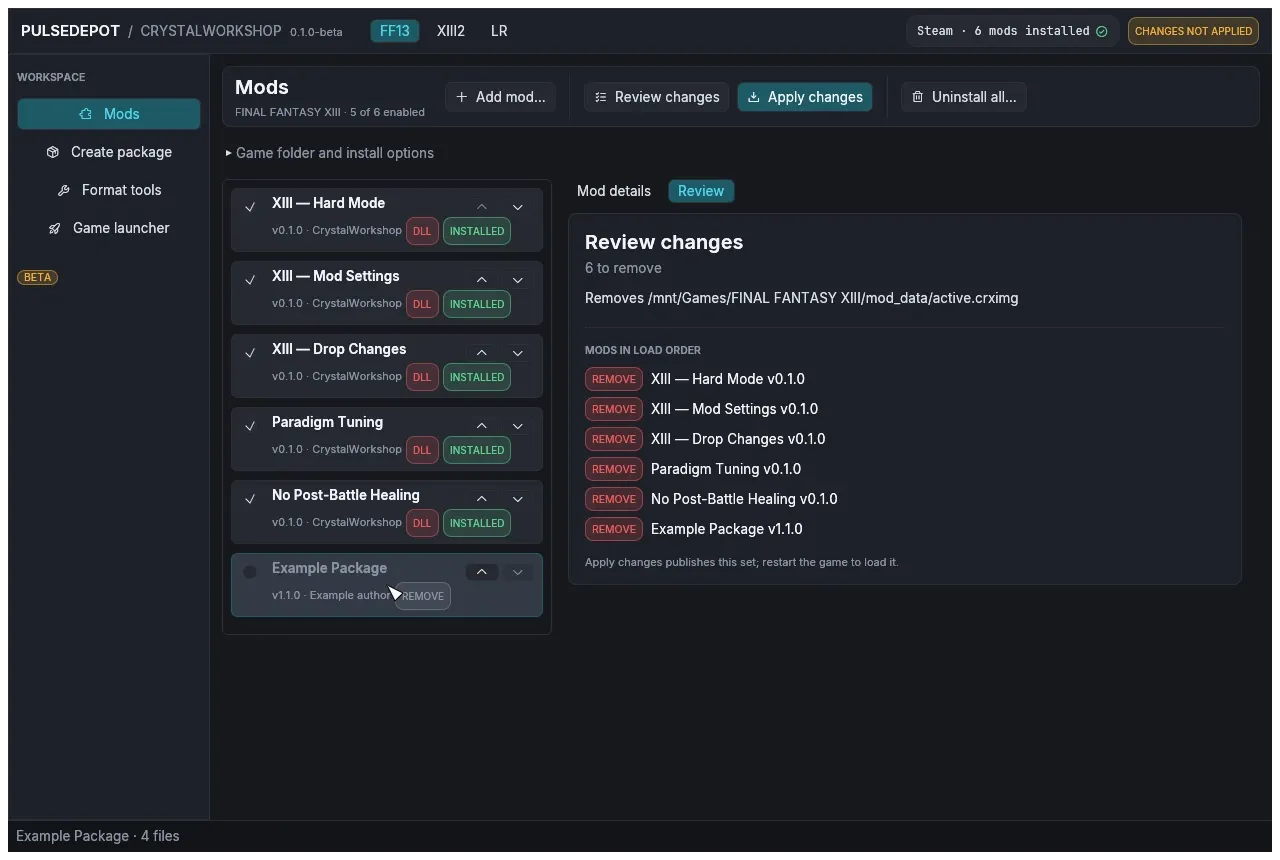
To remove a single mod instead, see Update and remove mods.
-
Remove Crux, if you want to. PulseDepot does not remove Crux. After uninstalling the mods, delete it by hand:
- the addon:
Crux.dllin the NovaFixaddonsfolder; - the standalone build: the
version.dllbeside the game executable.
On Linux, also remove
WINEDLLOVERRIDES="version=n,b" %command%from the game’s launch options. See Uninstall Crux. - the addon:
-
Remove PulseDepot’s state, if you want to. Delete
<game folder>\ff13_studio\nova\, or the wholeff13_studiofolder if you do not use CrystalWorkshop, and theactive.crximgthat Apply wrote. -
Remove PulseDepot itself. Delete its folder. It installs nothing else.