
First Run and Game Setup
Goal: open your game in CrystalWorkshop and find your way around.
Prerequisites
Section titled “Prerequisites”- CrystalWorkshop installed (Installing).
- A Steam install of FINAL FANTASY XIII, XIII-2 or LIGHTNING RETURNS.
-
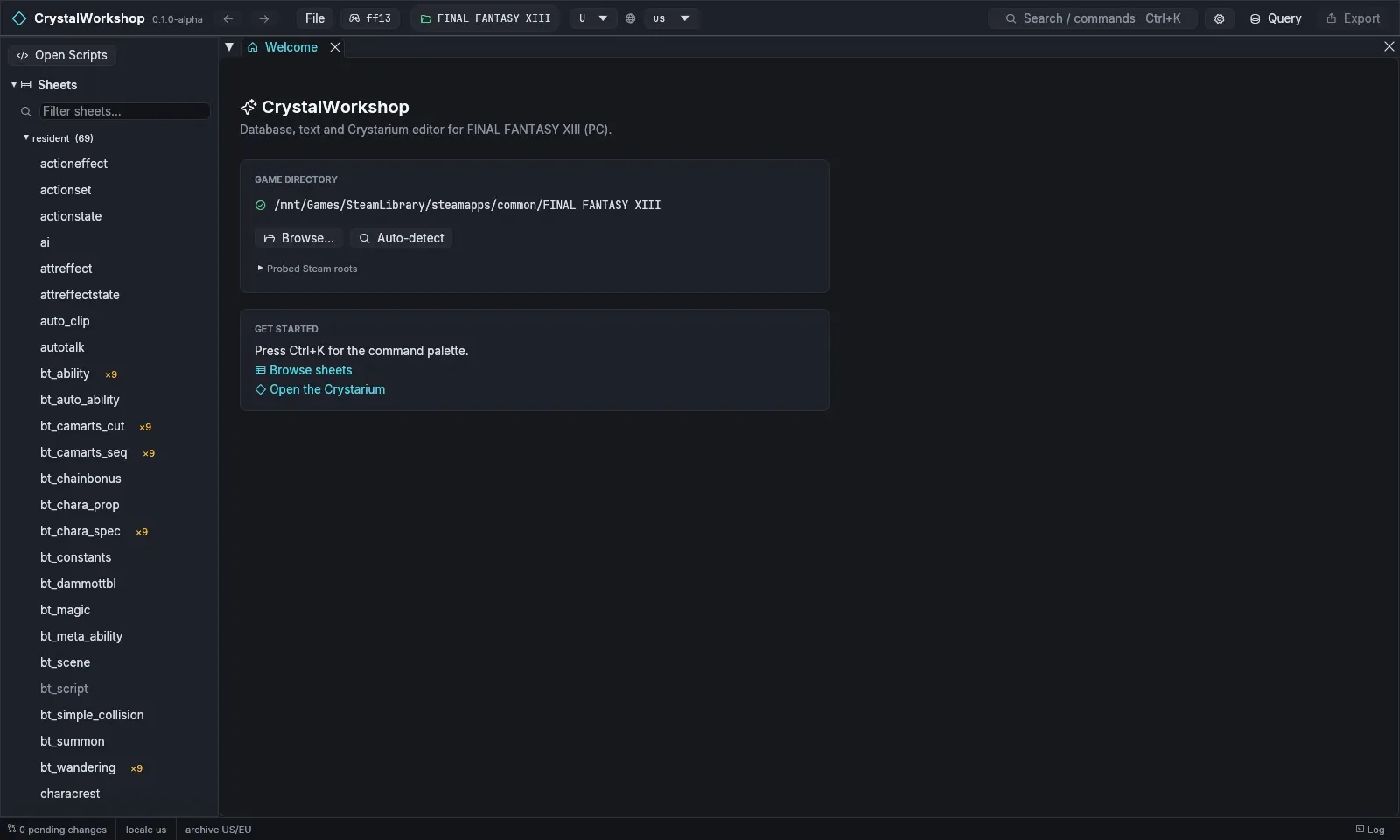
Start CrystalWorkshop. The Welcome page lists the game folder it found. It searches Steam libraries as follows:
- Windows: the registry and every Steam library.
- Linux:
~/.steam/steam,~/.steam/root,~/.local/share/Steamand Flatpak Steam, plus every library in theirlibraryfolders.vdf.
FF13_GAME_DIR,FF13_2_GAME_DIRandLR_GAME_DIRoverride the search. -
If nothing was found, choose Browse… and pick the game folder:
- XIII: the folder with
white_data; - XIII-2: the folder with
alba_data; - LR: the folder with
weiss_data.
Auto-detect searches again. Probed Steam roots shows where it looked.
- XIII: the folder with
-
Switch games with the game picker in the top bar (the controller icon). It lists every install it knows, or “title (not found)”, and has Detect installs and Browse….
-
Choose the archive variant and display locale next to the picker:
- variant U or C for XIII and XIII-2 (US/EU or Asian archives), A or V for LR (English or Japanese voice);
- the locale, for example
us, sets the language that names are shown in.
-
Look around:
-
Navigator (left):
- Sheets, Text, Models, Motions, VFX, Sound, Scenes, Actions, Events;
- Crystarium and Battle (XIII only);
- Changes.
Modified only filters each tree to files you changed.
-
Search / commands (
Ctrl+K) opens any page or file by name. -
Query opens the SQL panel (Simple DB Edit).
-
Export (N) shows how many files you changed (Simple Mod Export).
-
The gear button opens Settings. It reads AI while the MCP server runs (Enabling MCP).
-
Result
Section titled “Result”The status bar shows the archive (archive US/EU), the locale and
0 pending changes. The window title reads, for example,
CrystalWorkshop 0.1.0-alpha — FINAL FANTASY XIII.
Undo / revert
Section titled “Undo / revert”Nothing is changed by opening a game. CrystalWorkshop reads the archives and
keeps its own work (indexes, renders, audit log) under
<game folder>/ff13_studio/. Delete that folder to forget it.