Adds Configuration → Mod Settings to FINAL FANTASY XIII (Steam): one in-game menu for the settings of every installed mod that has them, such as Hard Mode and Drop Changes.
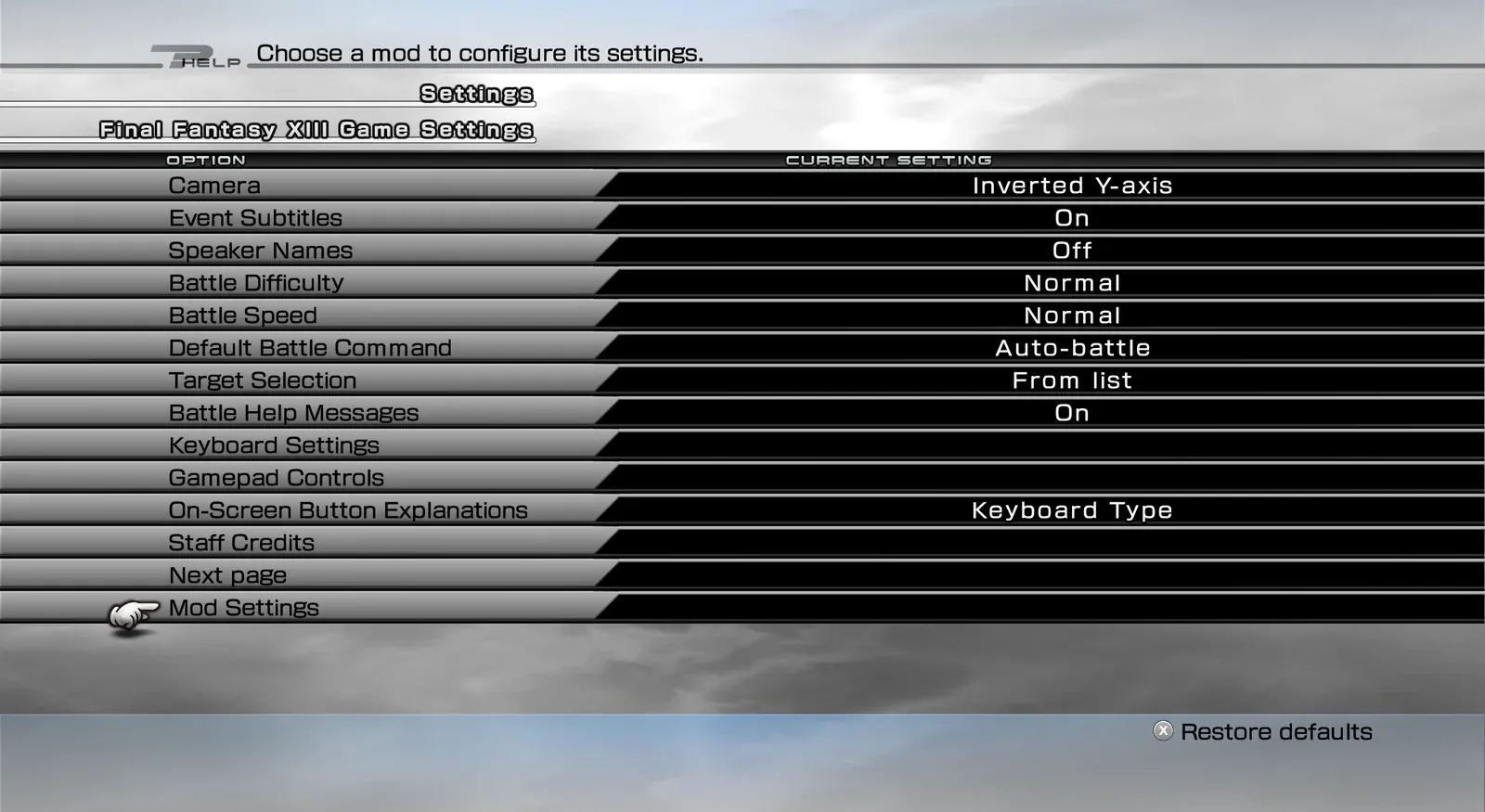 Mod Settings — entry in the game’s Settings menu
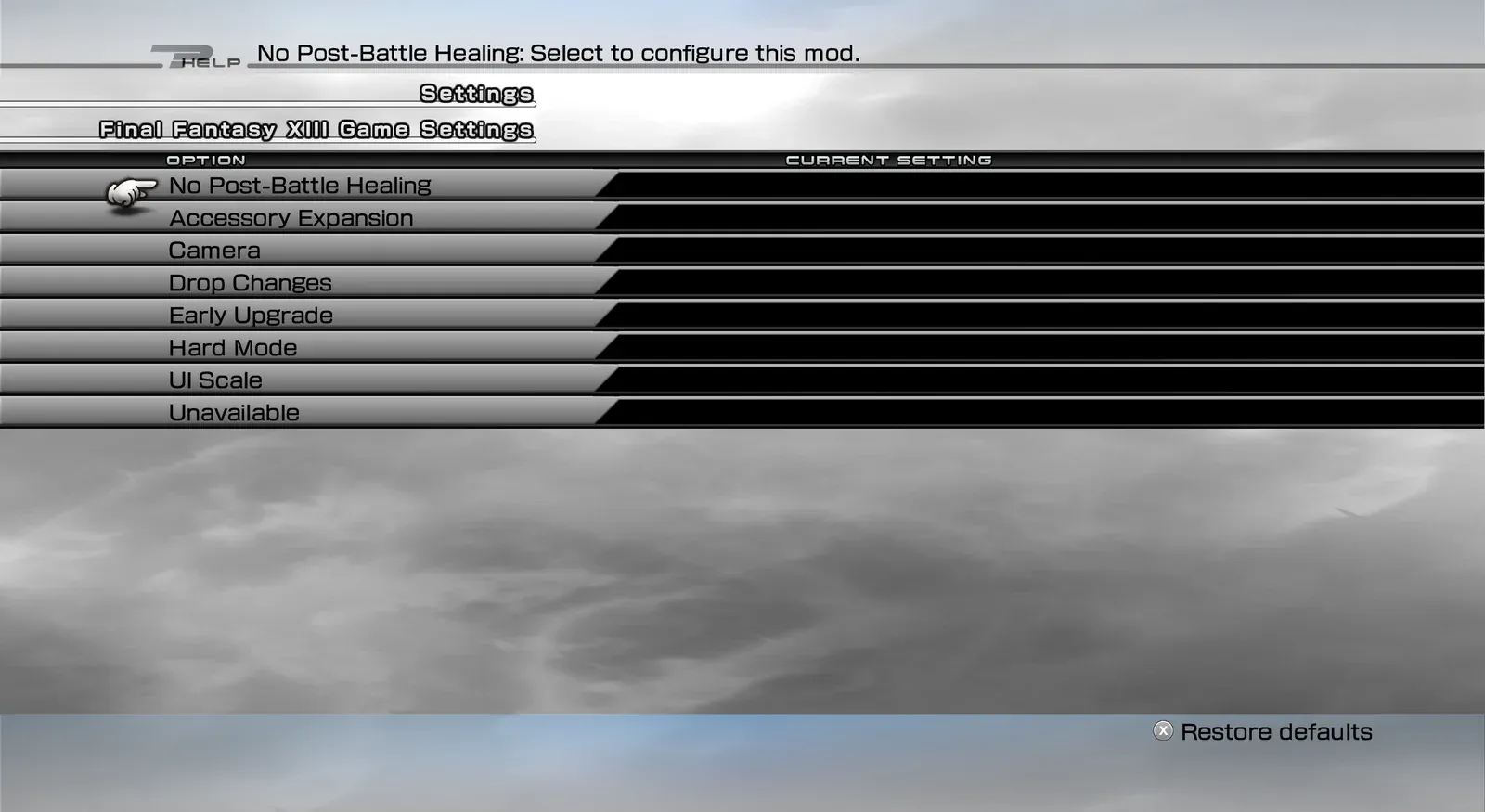 Mod Settings — list of installed mods
- One menu for all mods. The menu lists each installed mod, then that mod’s setting groups, then the settings in the group you pick. Long lists are split into pages.
- Controls.
- Left/Right changes a value.
- Confirm opens a page, toggles a switch or presses a button.
- Back returns step by step to the game’s own Configuration list.
- NovaFix add-ons. Add-ons for NovaFix that have settings are shown too.
- Your language. The menu uses the game’s language. The menu’s own texts come in all eleven game languages, and each mod brings its own texts.
- Nothing to configure. The menu has no settings of its own and stores nothing. Each mod keeps its own settings.
- FINAL FANTASY XIII, Steam version, on Windows or on Linux (Proton).
- PulseDepot (beta), the mod manager. It also installs Crux, which loads this mod in the game.
Hard Mode, Drop Changes and other mods with in-game settings need this mod.
- Download
xiii-mod-settings-0.1.0.cws.
- In PulseDepot, choose Add mod… and add the file.
- Choose Apply changes.
- Start the game from Steam as usual.
The menu has no settings of its own. Open Configuration → Mod Settings to see your installed mods and change their settings.
- Steam version only. If your game version is not recognised, the menu is not added and the game plays as usual. The reason is written to the Crux log.
- If another mod already changes the game’s Configuration menu, this menu may not be added.
In PulseDepot, choose Remove from library, then Apply changes.
Your saves are never changed by this mod. Mods that use this menu keep working with the settings they already have, but you can no longer change those settings in the game.
- This first release has not been played through in the game yet. Please report problems and attach the Crux log.
- A setting text that a mod does not provide shows as “Unavailable”.
- Free to download and use for personal play.
- Please do not re-upload this mod or share the file anywhere else. Share a link to the official mod page instead.
- Do not modify, decompile for re-release, or sell this mod or any part of it without the author’s written permission.
First release
- Configuration → Mod Settings with a list of mods, their setting groups and settings, split into pages.
- Shows the settings of NovaFix add-ons too.
- Menu texts in all eleven game languages.
Every release in the changelog