
4. Order, enable and resolve conflicts
Goal: the right mods are enabled, in the right order, and you know who wins each conflict.
-
Enable or disable a mod with the checkbox on its row. A disabled mod stays in the list. If it is installed, the next Apply removes it.
-
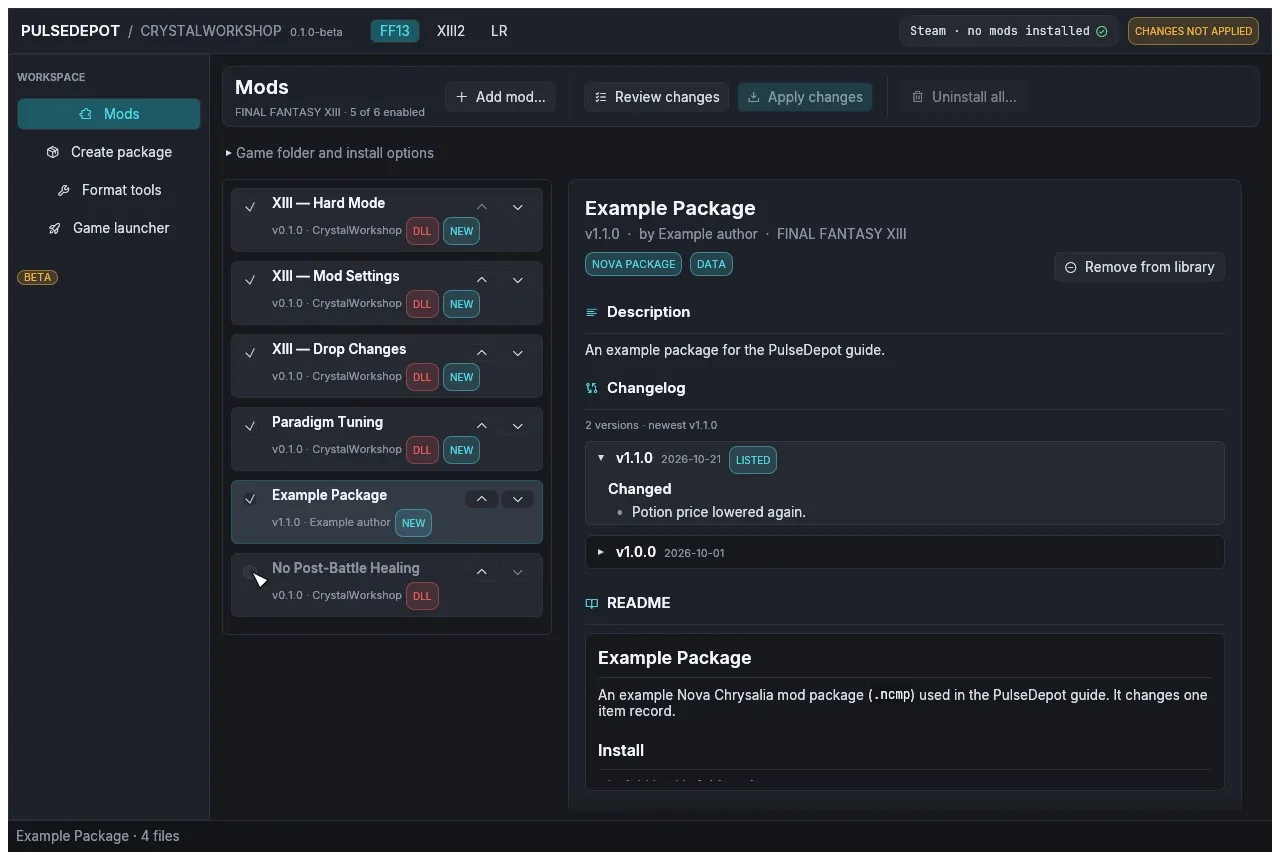
Set the order with ▲ (load earlier) and ▼ (load later). Later mods win conflicts. Drag and drop is not supported.
Here the example package was moved up and Paradigm Tuning was disabled:
-
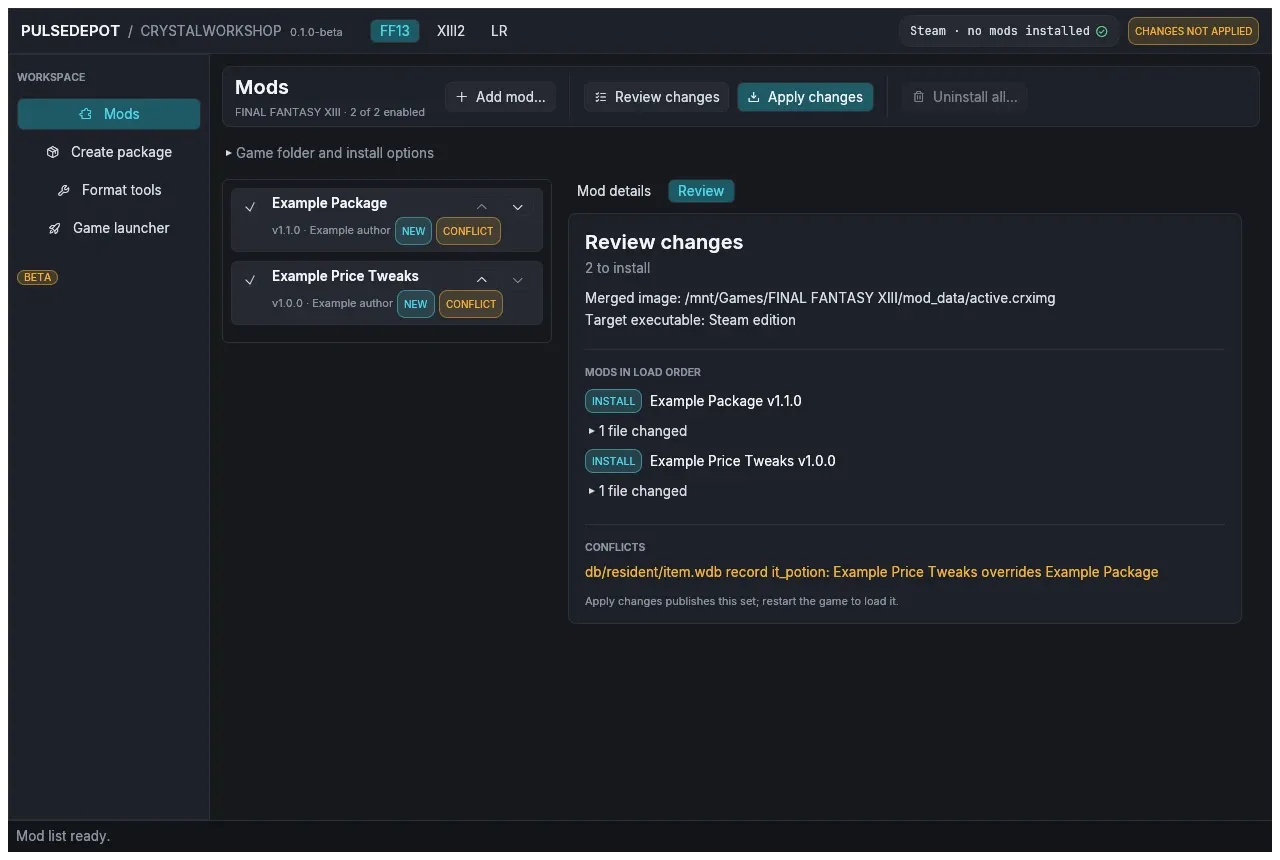
Review to see the conflicts. Choose Review changes. Mods that change the same thing as another enabled mod get the badge CONFLICT, and the review lists each one as “subject: winner overrides others”.
-
Decide who should win and move that mod lower in the list. Then review again.
Row badges
Section titled “Row badges”| Badge | Meaning |
|---|---|
| NEW | Apply installs it. |
| INSTALLED | Already installed. |
| UPDATE | Apply installs a newer version. |
| DOWNGRADE | Apply installs an older version. |
| REMOVE | Installed but disabled; Apply removes it. |
| CONFLICT | Another enabled mod changes the same file. |
| DLL | The mod ships native code. |
| SETUP | The package needs its external setup. |
How conflicts are resolved
Section titled “How conflicts are resolved”- A file that only one mod changes is used as is.
- Text (
.ztr), database (.wdb) and WPD packs that several mods change are merged entry by entry against the original file. The later mod wins each entry both change. - For any other file type, the whole file comes from the latest mod in the list.
- Game scripts: see below.
Script mods and Java
Section titled “Script mods and Java”A JDK 17 or newer (java and javac) is needed only for mods that change game scripts. PulseDepot finds Java through JAVA_HOME, then PATH. Start-PulseDepot.cmd / start-pulsedepot.sh put JAVA_HOME’s JDK first, and Check-Java shows what it finds. The Vineflower jar it also needs ships in the package.
- With a JDK, script changes from several mods are merged class by class. When two mods change the same lines, the later mod wins, and the review lists it as a conflict.
- Without a JDK:
- A mod whose script changes are stored as Java source (as CrystalWorkshop stores them when its author has a JDK) cannot be applied. Review changes stops and asks you to install a JDK 17 or newer.
- Script changes stored as byte patches still apply, but they are not merged class by class: when two mods change the same script file, the later mod wins that whole file, and the other mod’s changes to it are lost. The review shows a warning and lists the conflict.
Next: 5. Review and apply.