
2. Install shard mods (.cws)
A CrystalWorkshop Shard (.cws) is a mod built with CrystalWorkshop: its changes are stored as differences from your own game files, plus optional native code. Older shards with the .bin extension also load. Every mod on this site is a shard.
-
Download the shard, for example from Downloads. Some mods need others: Hard Mode and Drop Changes need XIII Mod Settings for their in-game menu. Each mod page lists what it needs.
-
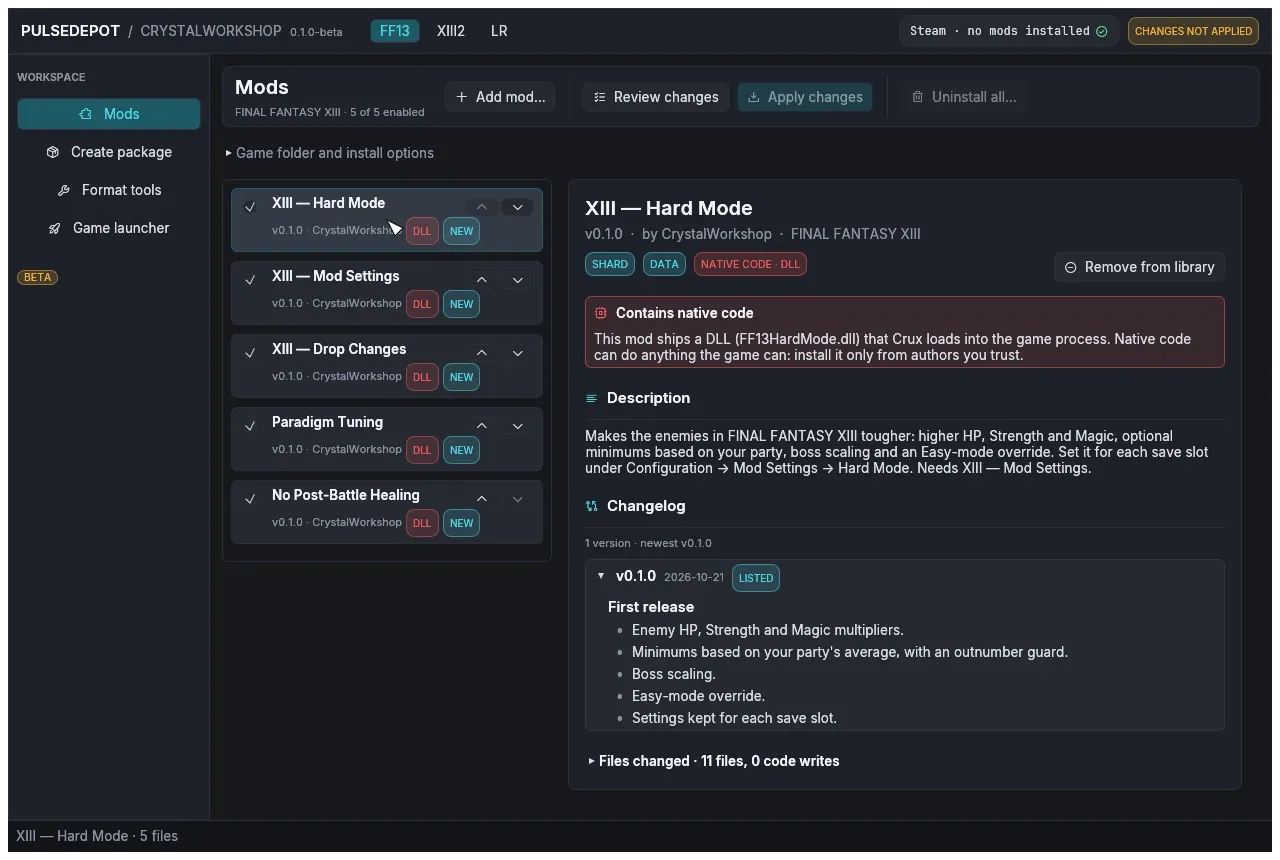
Choose Add mod… on the Mods page, or drop the files onto the window. PulseDepot copies each file into its own library, so you can move or delete the file you added afterwards.
Every added mod appears in the list with the badge NEW: Apply changes will install it.
-
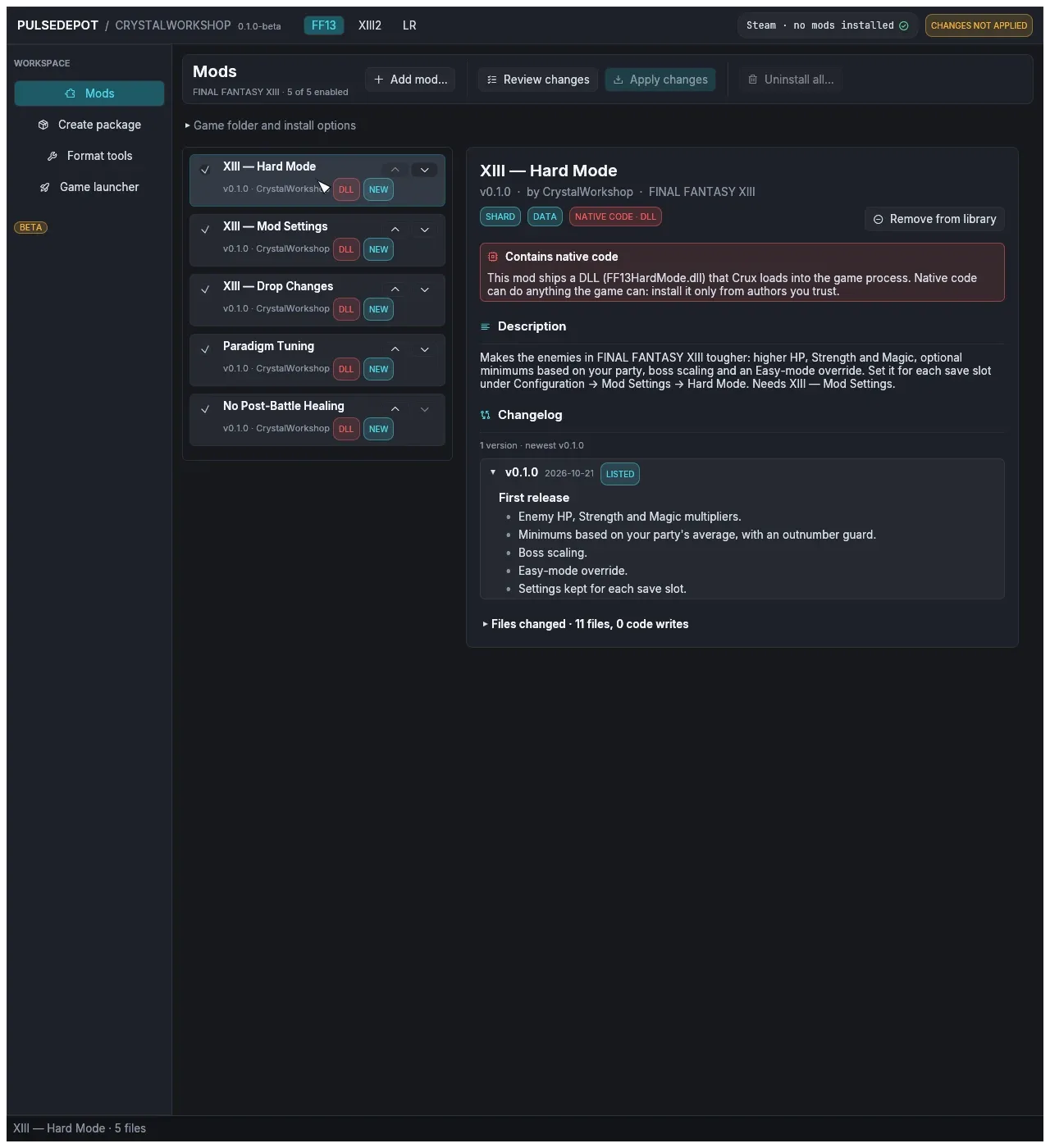
Select a mod to read its details. The details panel shows:
- version, author and game;
- badges: SHARD or NOVA PACKAGE; DATA, EN, JP; CODE · Crux; NATIVE CODE · DLL;
- the description, changelog and README;
- the files it changes, and any conflicts once you have reviewed.
-
Read the red notice on mods with native code. A unit (DLL) runs inside the game process and can do anything the game can. Install such mods only from authors you trust. The list marks them with DLL.
-
Continue with Review and apply. Nothing is installed until you apply.