
ZTR Text Edit
Goal: rename the Potion in the menus, keep its control tags intact, and check it in other locales.
Prerequisites
Section titled “Prerequisites”- A game open (First Run and Game Setup). This example uses XIII.
Background
Section titled “Background”Game text lives in ZTR files, grouped as txtres/<area>/<name>/txtres, one
file per locale:
| Game | Locales |
|---|---|
| XIII | us uk fr gr it sp jp ru ch ck kr |
| XIII-2 | 11 locales |
| LR | 8 locales |
Entries carry control tags in braces:
{End}ends a string;{StraightLine}separates the singular from the plural;{Article}gives the article;- colours and icons, such as
{Color Sapphire}(LR).
Each game has its own tag palette.
- Open Text in the navigator, or
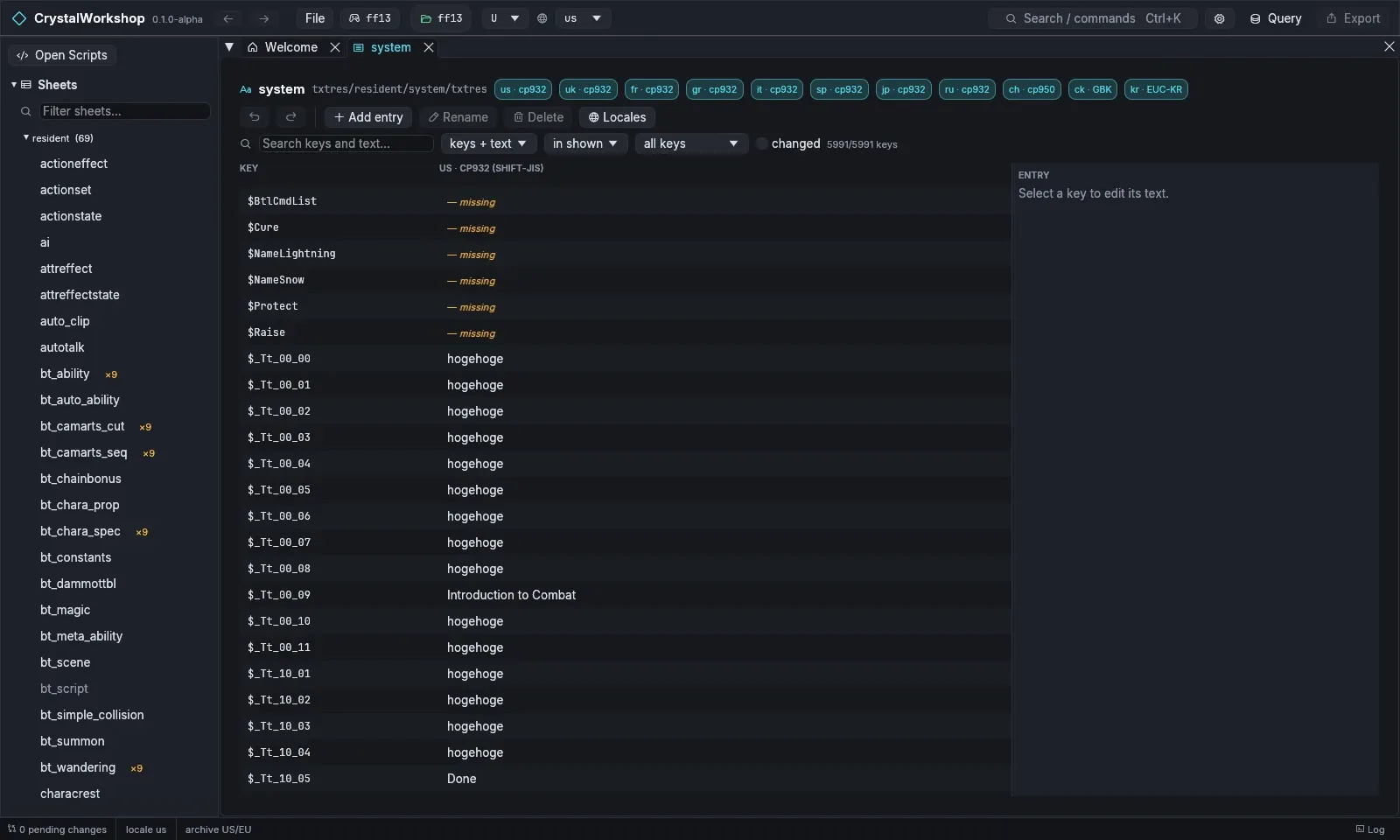
Ctrl+K› Open Text. The list shows each text group with its area, locales and path. - Open system (
txtres/resident/system/txtres). The badges show each locale and its code page (for exampleus · cp932,kr · EUC-KR). - Search for
$it_potionin Search keys and text…, then select the key. The ENTRY panel on the right edits it. Use Insert control code to add a tag instead of typing it. - Choose Apply. Revert drops your draft.
- Locales chooses which locales are shown side by side, so you can
update
uk,frand the rest too. - The toolbar has Add entry, Rename and Delete for keys. The filters (keys + text, in shown, all keys and changed) narrow the list.
The same change with SQL
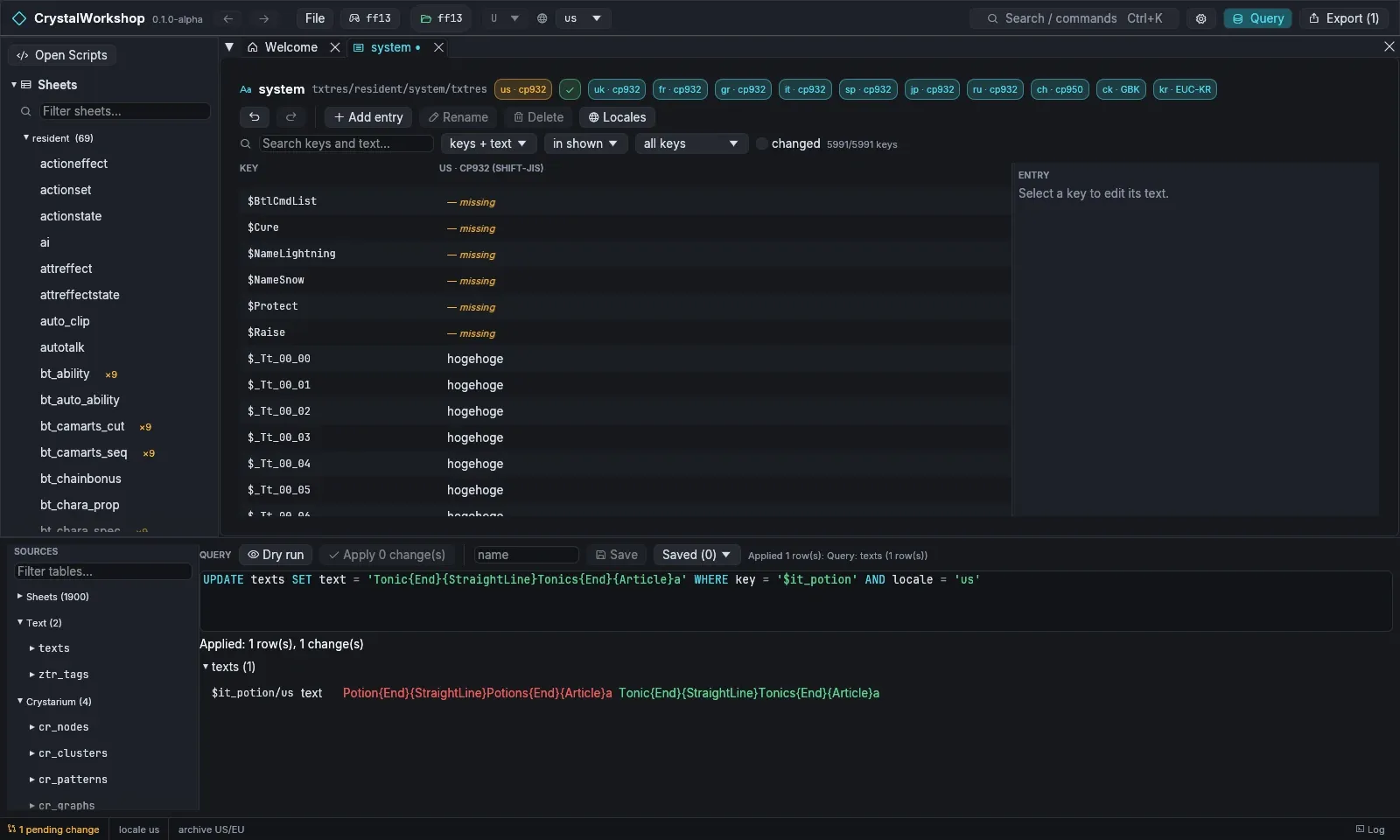
Section titled “The same change with SQL”The texts table has these columns: key, locale, file, text
(with tags), plain (without tags), rendered and missing.
SELECT key, locale, text FROM texts WHERE key = '$it_potion'UPDATE texts SET text = 'Tonic{End}{StraightLine}Tonics{End}{Article}a' WHERE key = '$it_potion' AND locale = 'us'SELECT locale, ztr_validate(text, locale) FROM texts WHERE key = '$it_potion'ztr_validate reports any tag the game would not understand.
Result
Section titled “Result”The group shows as changed, and the Changes page lists the locale’s
.ztr file. Export it with Simple Mod Export.
Undo / revert
Section titled “Undo / revert”- Revert in the entry panel, or Undo in the group toolbar.
- On the Changes page, revert the file.
Known limits
Section titled “Known limits”- Preview with record…, which renders the text with a sheet record, is XIII only.
- Shards built from XIII-2 or LR text are not verified in game yet.